SSH Configuration tweaks to make your life simple
If you use ssh a lot and do login daily in many servers or virtual machines , with different usernames and different passwords , then let me show you easy way of doing that using ssh configuration file so you dont have to remember all the different IP addresses and username etc . we are going to modify ~/.ssh/config file to setup some per user based configuration .
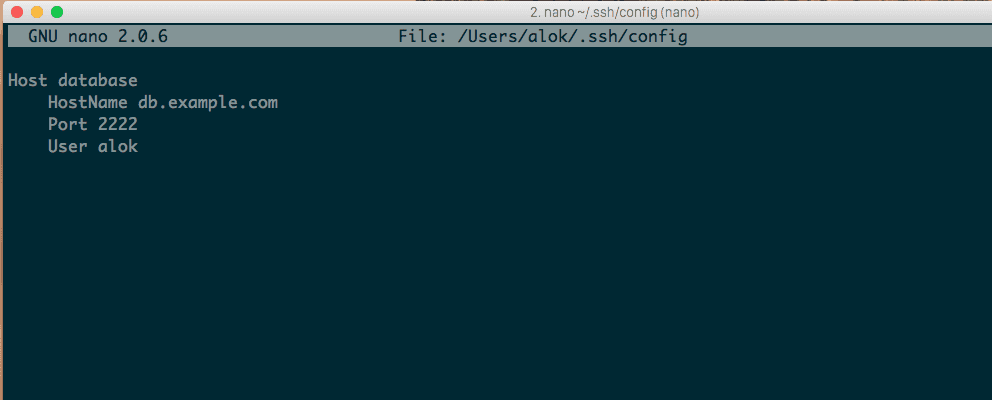
Simple Config
edit ~/.ssh/config file and add Host entry like displayed below , you can setup various options , like Hostname , Port and User etc .
if ~/.ssh/config doesnt not exist , then you can create it using touch
touch ~/.ssh/configNow edit ~/.ssh/config
Host database
    HostName db.example.com
    Port 2222
    User alok
after this simple configuration you can connect to database server by just typing ssh database .
There are many options you can configure in your config file for example if you use different key pairs for different hosts then you can pass IdentityFile option to use that specific key.
Host database
    HostName db.example.com
    Port 2222
    User alok

Host bitbucket.com
   IdentityFile /home/myname/.ssh/private-identity
   Hostname bitbucket.com
   User alok

Host github.com
  Hostname github.com
  IdentityFile /home/myname/.ssh/public-identity
If host is behind firewall or proxy or gateway and most of the ports are blocked then you can create ssh tunnel and forward you traffic through that tunnel . for example you can forward local 3305 port to of localhos to remote 3306 port to access mysql .
creating tunnel , manual way
ssh -f -N -L 3305:127.0.0.1:3306 user@remoteserevr.comor you can tweak you config file to create local tunnels easily
Host dbtunnel
    HostName database.example.com
    LocalForward 3305 127.0.0.1:3306
    User alok
Now you can create tunnel simply by typing .
ssh -f -N dbtunnelthere and many options you can pass like you can set cipher type and X11 forward like options in config file you can see full list of options here , http://linux.die.net/man/5/ssh_config .
Use man ssh to see other ssh related manual pages .
Host database
    HostName host.example.com
    Port 2222
    User alok
    ServerAliveInterval 120
    LogLevel FATAL
SSH Documentation : http://linux.die.net/man/5/ssh_config