How To Manage Services With SystemD [ Quick Guide ]
What is SystemD
Systemd is a system and service manager for Linux , Compatible with SysV and LSB scripts , systemd uses socket and Dbus for activating and deactivation of services . systemd provides aggressive parallelization capabilities . It provide support for starting on-demand daemons and services and also keep track of process using control groups . In this post I will be showing you basic of service management with systemd .
Basic Commands
systemctl is primary tool which we are going to use for managing service and other basic things .
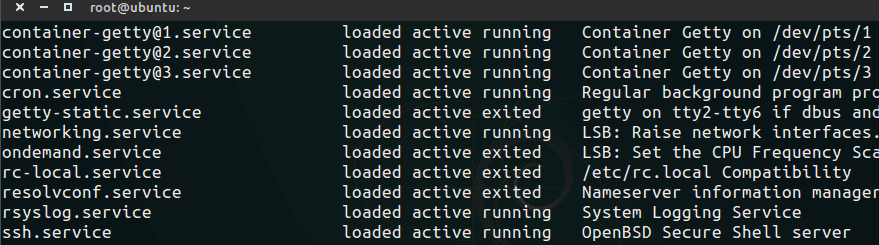
Listing all running services
$ sudo systemctl list-unitsthis command will List all units (where unit is the term for a job/service)
Starting a service
okay let’s assume you want to start nginx web server , then
$ sudo systemctl start nginx.service Stop a service
to stop a service , just use stop instead of start
$ sudo systemctl stop nginx.service status of service
$ sudo systemctl status example.service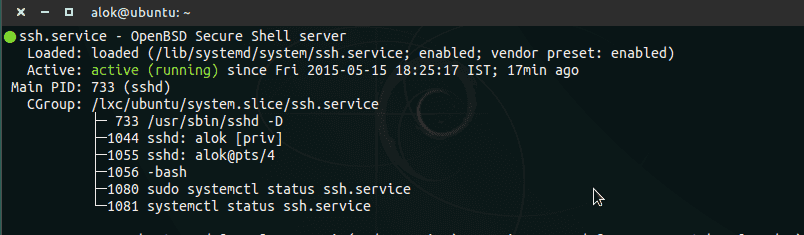
masking of service
masking will prevent starting of service during boot or manually , unless it get unmasked
$ sudo systemctl mask example.service unmasking of service
$ sudo systemctl unmask example.service Disabling Service
It will prevent service to start on boot
$ sudo systemctl disable example.service Enabling start on boot
to start a service on boot
$ sudo systemctl enable example.service Check Enabled
check if service is enabled
$ sudo systemctl is-enabled example.service List dependencies
to see dependencies of service or unit
$ systemctl list-dependencies example.service Power Related Commands
To Reboot
$ systemctl rebootor you can simply use sudo reboot it works fine
Shut down and power-off the system
$ systemctl poweroffSuspend the system
$ systemctl suspendPut the system into hibernation
$ systemctl hibernatePut the system into hybrid-sleep state (or suspend-to-both)
$ systemctl hybrid-sleep