Add security in your wordpress login with wordpress.com SSO
If you’re using a self-hosted WordPress-based blog or using WordPress as a small CMS for your project, or using a WordPress self-hosted installation for anything (it doesn’t matter), and you don’t want to pay for SSL (though it’s good to buy an SSL certificate), then you can use WordPress.com Single Sign-On with the Jetpack plugin. It’s a simple OAuth Single Sign-On solution.
Setting Up :
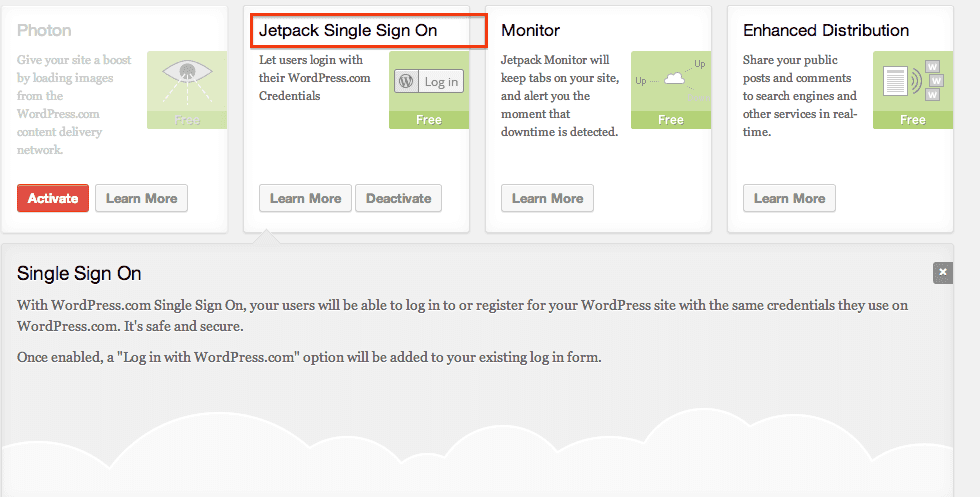
You don’t need any coding skills—just install the Jetpack plugin from https://jetpack.com/ and activate the module. See how to do custom settings from the Jetpack blog post.
Custom Settings
There are two custom overrides that you can do, and both are done by defining constants in your
wp-config.phpfile.By default, if there isn’t already a local account linked to the WordPress.com account, Single Sign On will automatically link the verified WordPress.com account to a new local account with a matching email address, and log the user in. If you’d prefer to disable this functionality, and require your users to log in to their pre-existing local accounts to manually link the accounts, add this line to your
wp-config.phpfile just before/* That's all, stop editing! Happy blogging. */
define( 'WPCC_MATCH_BY_EMAIL', false );The WordPress.com Single Sign On module will also respect your default settings with regard to New User Registration. If you have registration disabled, then WPCC will not create a new user account if someone is trying to log in with an unrecognised email. If you have registration turned on, though, it will automatically create a new user for them, and log them in. If you would like to allow users to register for your site with a WordPress.com account, even though you disallow normal registrations, add this line to your
wp-config.phpfile just before/* That's all, stop editing! Happy blogging. */
define( 'WPCC_NEW_USER_OVERRIDE', true );
Then, the next time you open the wp-login page, just use the “LOGIN WITH WORDPRESS.COM” button. By using that, you’ll make yourself a bit safer from Man-in-the-Middle Attacks.