How to solve Device Not Managed in kali ( Debian ) Linux
Kali is based on Debian—that’s why I titled it “Kali (Debian)“. If you’re trying to use a new network card or connect to a physical network, this problem can occur. At first glance, it simply looks like NetworkManager isn’t detecting the new interface.
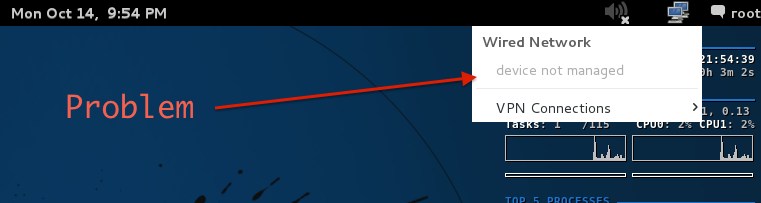
You can simply solve this by following these steps:
Steps
-
Open the /etc/NetworkManager/NetworkManager.conf file in any text editor (I’m using nano):
sudo nano /etc/NetworkManager/NetworkManager.conf -
Change
managed=falsetomanaged=true
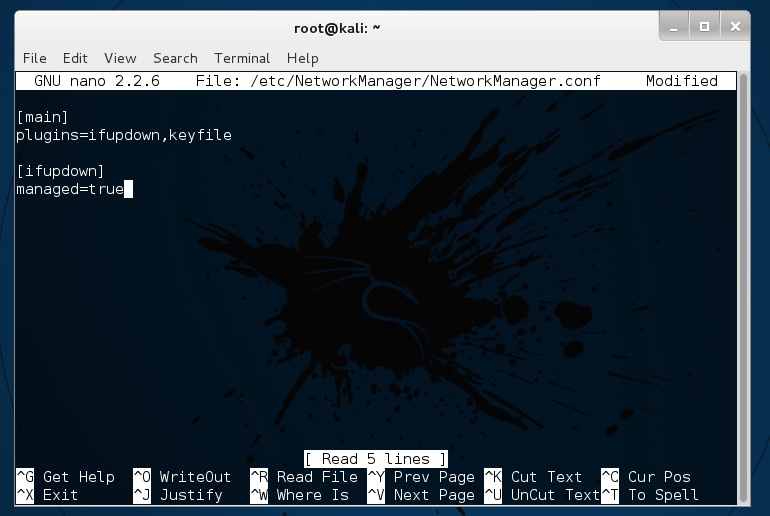
-
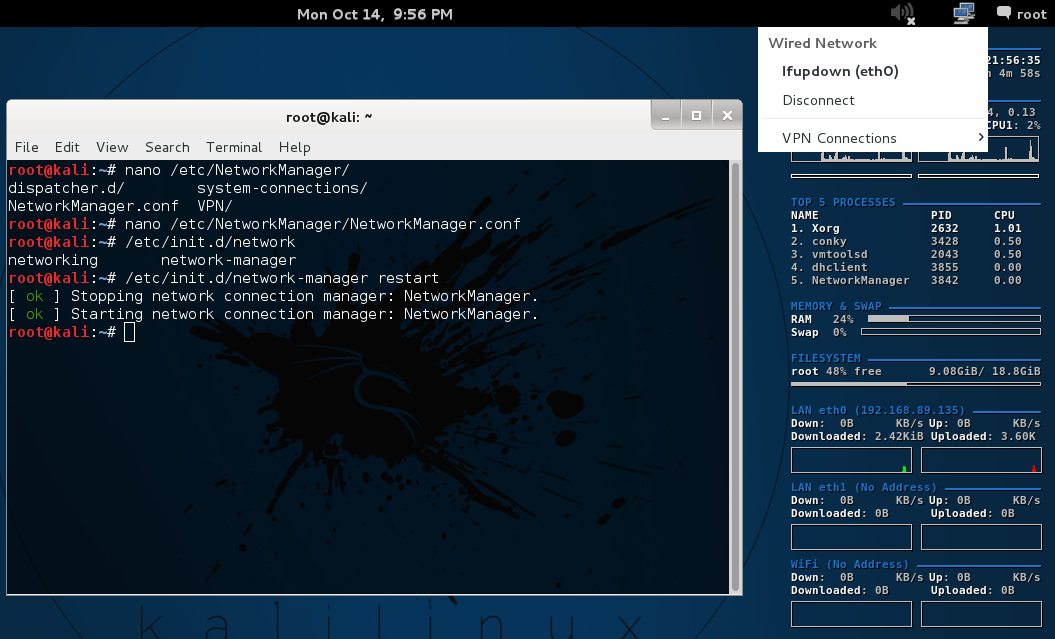
Restart NetworkManager:
sudo systemctl restart NetworkManagerNote: On older systems, you might need to use:
sudo /etc/init.d/network-manager restart
Done
Now verify it’s working.
Reference : https://wiki.debian.org/NetworkManager